ChatGPT Images 2.6 Is Here — GIFs, Character Memory, and 50% Faster Visuals for Your Business
ChatGPT Just Got a Visual Upgrade — and Businesses Should Pay Attention
If you use ChatGPT to help create marketing visuals, social media content, product images, or brand assets, there is a meaningful new update worth trying right now.
On November 4, 2026, OpenAI released ChatGPT Images 2.6 — an update to its built-in image generation tool that adds animated GIF creation, persistent character reference images, scalable SVG export, and generation speeds that are roughly 50% faster than the previous version.
The update is available today across all ChatGPT subscription tiers — including the free plan — on web, desktop, and mobile. No special upgrade required. If you have a ChatGPT account, you already have access.
Here is what changed, why it matters, and how businesses can actually use it.
What Is ChatGPT Images 2.6?
ChatGPT Images 2.6 is the latest version of OpenAI's built-in image generation model inside ChatGPT and Codex. Think of it as the AI engine that creates visuals when you describe what you want — a logo concept, a product scene, a character, an illustration — and ChatGPT generates it for you.
Version 2.6, released November 4, is an update to Images 2.5, which launched in September 2026. While 2.5 introduced comment-based editing and two model tiers, 2.6 adds three major capabilities that change how businesses can use it:
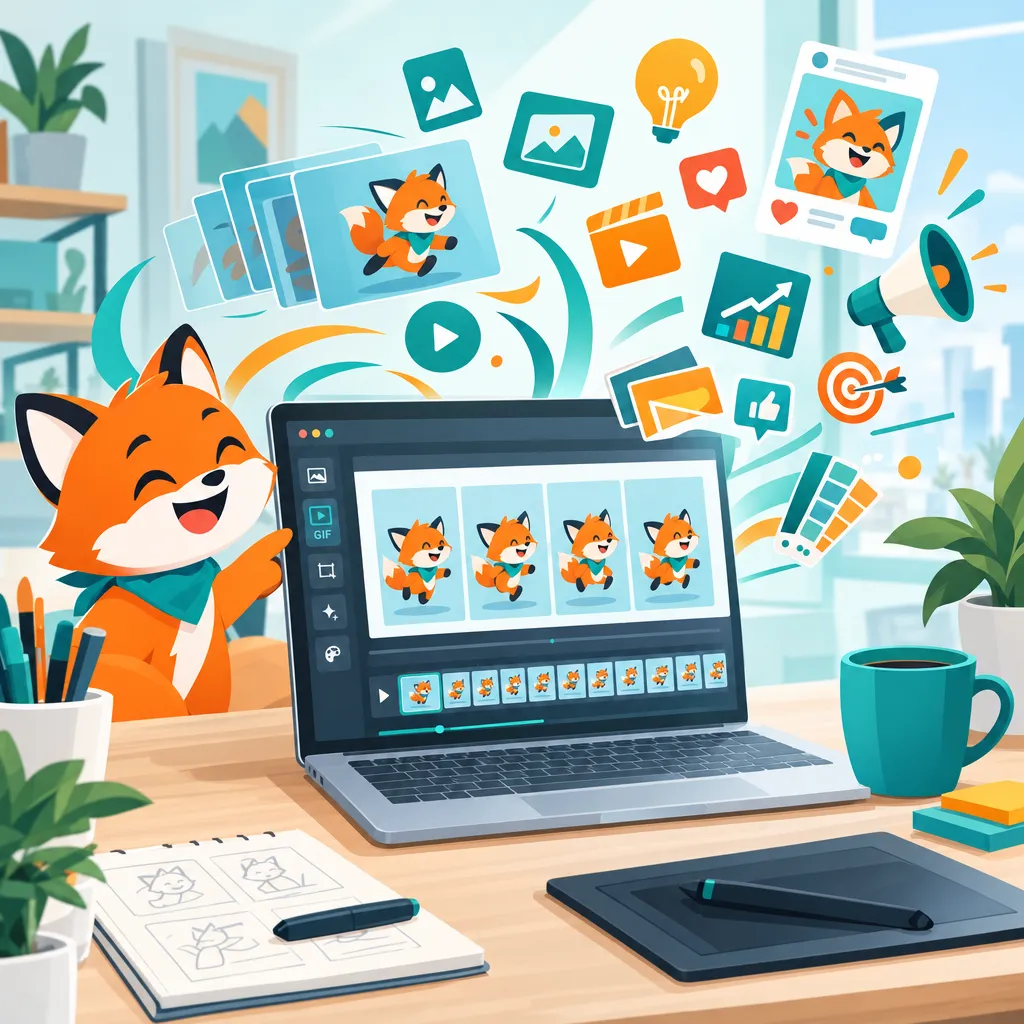
- Animated GIFs — Create looping animations directly from a text prompt or an uploaded image
- Saved Reference Images — Store characters, mascots, faces, or products so ChatGPT remembers them across future sessions without re-uploading
- SVG Export and Markup-Guided Edits — Export clean vector graphics and annotate images to show exactly where changes should go
According to OpenAI's official announcement, users now create more than 4 billion images per week across ChatGPT, Codex, and the API — up from 3 billion in September. That growth in two months reflects just how widely AI image generation has become part of everyday work.
The Four Key New Features — and What They Mean for Your Business
1. Native Animated GIF Generation
This is the headline feature, and it is genuinely useful for anyone who creates content for social media, email campaigns, or websites.
Until Images 2.6, ChatGPT could not generate GIFs natively. You could get a static image, but animating it required a separate tool. Now, you can type a prompt — or upload a photo — and ChatGPT will return a looping animated GIF. You can then adjust the playback speed, edit individual frames, and share or download the file, all inside ChatGPT.
Practical examples include animating a brand mascot, turning a product photo into an eye-catching loop for social media, creating a reaction GIF for email marketing, or sketching out a rough animated storyboard before handing a project to a designer.
Coco Mao, CEO of OpenArt, described GIFs as "the native language of social media." That framing is accurate for many marketing contexts. Social platforms favor motion. A looping GIF in an email or on Instagram tends to draw more attention than a static image, and creating one previously required design tools, software skills, or a separate subscription. Now it takes a typed prompt.
The GIF feature is rolling out in phases, so not every user may see it immediately. ChatGPT can animate from a prompt you describe or from a static image you upload — but it cannot currently process GIFs you upload; only files it generates itself can be edited.
2. Reusable Character and Product Reference Images
This feature may seem less dramatic than GIFs, but for businesses that create regular visual content, it could save significant time.
Previously, if you wanted ChatGPT to generate images featuring a consistent character — a brand mascot, a recurring product, a team member — you had to re-upload a reference image every single time and hope the model matched the details accurately. Results were often inconsistent. A mascot's color, expression, or outfit would shift between generations.
With Images 2.6, you can now save a reference image — a photo, a character sketch, a product shot — give it a name, and call it back in future chats using an @mention. The model will use it to maintain visual consistency across new scenes and edits.
According to OpenAI's announcement, this keeps "characters, products, and brand details consistent as you edit." For businesses building a visual brand identity or regularly producing social media content featuring the same elements, this is a practical workflow improvement. You set up the reference once and reuse it across future sessions.
One note for teams: saved reference images that include real people's faces involve personal data. Establish a clear internal policy about who may save which references before you roll this out at a team level.
3. SVG Export for Scalable, Print-Ready Graphics
ChatGPT Images 2.6 can now export visuals as SVG files — a scalable vector format that stays crisp at any size, whether displayed on a phone screen or printed on a banner.
SVG is the format used for logos, icons, website graphics, and printed materials because it scales without pixelation. The ability to generate a simple icon, logo concept, or decorative element and export it as an SVG directly from ChatGPT removes one step from the design process for teams doing quick visual work.
It is worth noting that SVG export works for new vector-style graphics generated from text prompts — it does not convert an existing logo or uploaded image into a vector file. Think of it as a text-to-vector tool for simple graphics, not a rasterization converter.
4. Image Markup, Complexity Control, and Faster Generation
Developers and power users gain additional controls in the API version of Images 2.6.
Image markup — previously only available inside ChatGPT's visual editor — now works through the API. Teams building image-generation tools can send annotated images with circles, arrows, or notes drawn on them to tell the model exactly which area to change, rather than describing changes in words.
Complexity control is a new parameter that governs how much planning the model does before generating. OpenAI recommends low complexity for most quick edits and simple visuals, and medium or high for complex scenes with many elements or precise layout requirements. Higher complexity uses more processing time and more API tokens.
Speed is improved across the board. OpenAI says Images 2.6 generates images 50% faster than 2.5. The two new API model tiers, Flare and Sunburst, make this more concrete:
- GPT-Image-2.6 Flare — The speed tier. Can generate an image in as little as six seconds at low quality. Best for layouts, quick variations, poster drafts, and fast iteration.
- GPT-Image-2.6 Sunburst — The quality tier. Generates higher-detail images and maintains more consistency across repeated edits at medium or high quality. Best for brand assets, polished marketing visuals, and work where consistency matters across multiple generations.
How Available Is It — and What Does It Cost?
For ChatGPT users on any plan — free, Plus, Pro, Team, or Business — Images 2.6 is rolling out now at no additional cost. The GIF and reference image features are built into the standard ChatGPT interface.
For developers using the OpenAI API, the two new model tiers are available today. Token pricing is consistent with the previous version: $8 per million image input tokens and $30 per million image output tokens. However, independent testing reported by both i-scoop.eu and felloai.com found that at low and medium quality settings, the same prompt may now consume three to four times as many tokens as the equivalent 2.5 generation. At high quality, the update may function as a free upgrade. If you are running a production pipeline through the API, run your own cost tests with OpenAI's token calculator before switching tiers to understand the actual cost per image for your specific use case.
Who Should Try This First?
ChatGPT Images 2.6 is not a tool for every business role. But it is immediately useful for specific people and teams:
Social media managers — The GIF feature alone could replace a separate animated content tool. If your team posts regularly on Instagram, LinkedIn, or X, the ability to generate a looping product visual or branded animation directly from a prompt is worth testing this week.
Marketing coordinators and content creators — Reference images mean you can generate consistent brand visuals without re-uploading character or product references every time. This is particularly valuable for small businesses that do not have a dedicated design team and rely on ChatGPT for quick visual content.
Email marketers — Animated GIFs in email are a standard engagement technique. Being able to create a simple looping product visual or seasonal animation inside ChatGPT — and export it immediately — shortens the content creation loop considerably.
Business owners creating their own content — If you manage your own social media, blog, or marketing materials, the speed improvement and reference image feature make ChatGPT more reliable for consistent visual output without needing design software or additional subscriptions.
Developers building visual tools — Image markup in the API, SVG export, and the complexity parameter give development teams more precise control over AI-generated visuals when building content workflows or customer-facing products.
A Few Practical Limitations to Know
ChatGPT Images 2.6 is a useful update, but it is worth going in with realistic expectations:
- GIF rollout is phased. Not every user will see the GIF feature immediately. If it has not appeared for you yet, it should arrive within the coming days.
- ChatGPT cannot process uploaded GIFs. The GIF tool only animates content that ChatGPT generates itself or turns a static uploaded image into a GIF. You cannot upload an existing animation for editing.
- SVG export creates new vector graphics from prompts. It does not convert your existing logo files into vectors. Plan around this if you need vectorization of existing artwork.
- Consistency claims should be verified with your own tests. Independent reviewers noted that the 50% speed improvement and character consistency improvements are manufacturer claims that may vary depending on prompt complexity and edit depth. For high-stakes brand visuals, test before committing to a workflow.
- API cost per image may be higher at lower quality settings. Run your own cost analysis if you are using Images 2.6 at scale through the API.
The Bigger Picture: AI Image Creation Is Becoming a Business Workflow
The jump from 3 billion to 4 billion weekly image creations in just two months tells a broader story. Businesses and creators are integrating AI image tools into their standard workflows at a faster rate than most would have predicted a year ago.
What Images 2.6 reflects is a shift in how these tools are designed. Early AI image generators were single-shot — you typed a prompt, got an image, and started over if you wanted something different. Images 2.6 is built around continuity: GIFs that extend a moment in time, reference images that persist across sessions, markup that tells the model precisely where to look, and complexity settings that let you trade planning time for quality.
That shift from one-shot generation to structured creative workflow is what makes this update relevant to businesses rather than just individual creators.
What to Try This Week
If you want to put Images 2.6 to immediate use, here are three starting points:
- Create an animated GIF for your next social media post. Describe a simple looping scene related to your product or service and ask ChatGPT to generate it as a GIF. Adjust the speed until it feels right, then download and post it.
- Save a brand character or product reference. Upload an image of your mascot, logo element, or key product and save it as a named reference. Use it across your next five image requests to test how well the model maintains consistency.
- Test SVG generation for a simple icon or badge. Ask ChatGPT to generate a simple icon or decorative element and export it as an SVG. Import it into your website or design tool to see how it scales.
Automate More of Your Visual Workflow With ResProAI
ChatGPT Images 2.6 is a strong tool for creating visual content faster — but creating great assets is only part of the picture. The other part is making sure those assets reach the right people at the right time through the right channels.
At ResProAI, we help businesses connect their AI content creation with automated marketing workflows, follow-up sequences, CRM systems, and customer communication tools — so the content you create actually works as part of a larger, automated system.
If you are spending time creating content manually and then distributing it manually, there is likely a smarter workflow available. Explore how ResProAI can help you build one.
